Features
 Who is it for
 Pricing
 Blog
Blog
How to C2C on Chaturbate: Desktop and Mobile Guide
To use Cam to Cam on Chaturbate, open a room, choose Cam to Cam, allow camera access, and start sharing. The broadcaster receives a request and must accept before they can view your live video. C2C sends video only, without audio.
There is no published platform-wide C2C rate. A broadcaster may still set their own conditions, so check the room’s rules or tip menu before sharing your camera.
Quick Answer
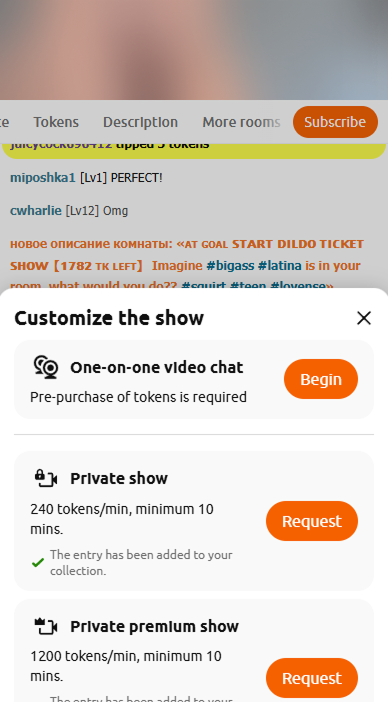
On desktop, click Cam to Cam below the video. On mobile, open the menu beside the chat bar and choose Cam to Cam under Customize Show. Allow camera access, tap Start, and wait for the broadcaster to accept.
What Is C2C on Chaturbate?
C2C means Cam to Cam. It lets you share your camera with the broadcaster while you watch their room. The broadcaster receives a chat notice and chooses whether to accept your request.
The feature shares video only. You do not need to turn on a microphone for C2C. Chaturbate requires users to complete its streamlined age-verification process to use the feature.
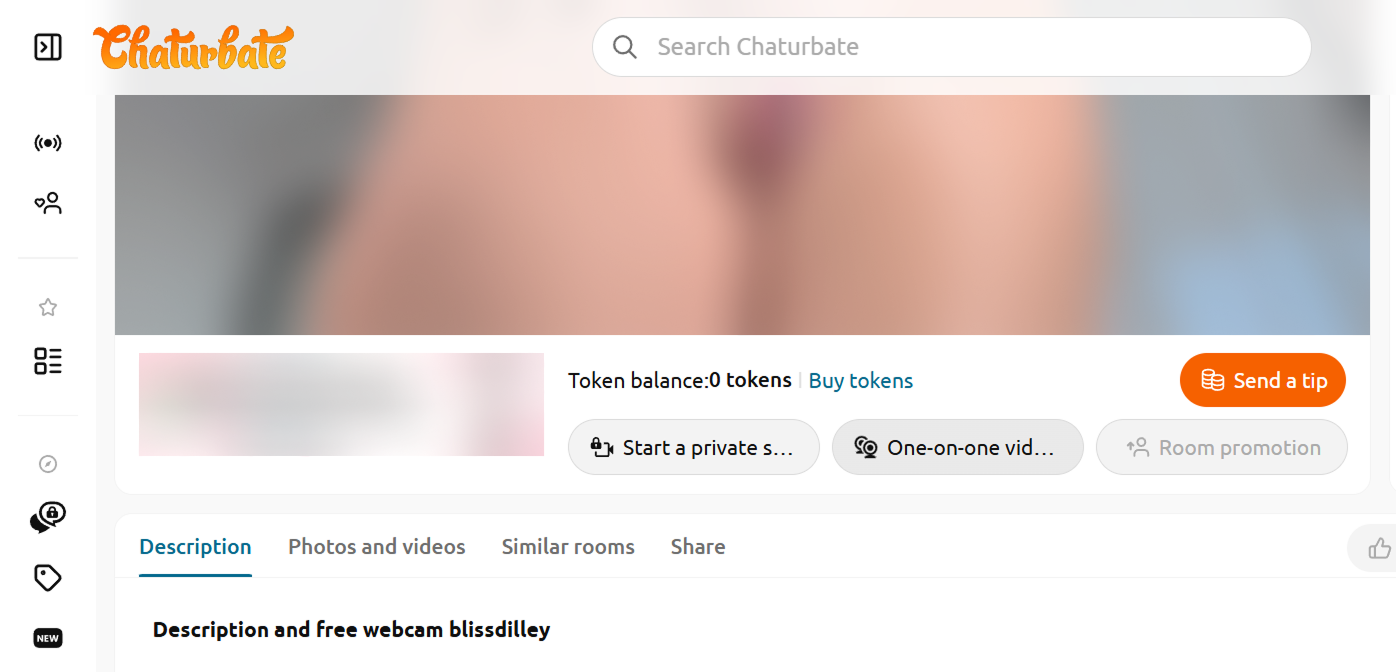
How to C2C on Desktop
- Open the broadcaster’s room.
- Click Cam to Cam below the video.
- If this is your first time, review and accept the on-screen notice.
- Allow your browser to access the camera. If prompted, choose which camera to use.
- Check the preview and click Start.
- Wait for the broadcaster to accept your request. An orange eye icon appears when they are viewing your camera.
Starting the share sends a request; it does not force the broadcaster to view your feed.
How to C2C on Mobile
- Open the broadcaster’s room on your phone.
- Tap the expand-menu icon beside the chat bar.
- Under Customize Show, select Cam to Cam.
- Allow camera access if your browser asks.
- Tap Start and wait for the broadcaster to accept.
Does C2C Cost Tokens?
Chaturbate’s public help information does not list a platform-set token price or per-minute rate for starting a Cam to Cam request. That means there is no published standard C2C fee. It does not guarantee that every broadcaster will view your camera for free.
Broadcasters control their own room rules and tip menus. For example, a broadcaster may ask for a one-time tip before viewing a shared camera, or may prefer to interact during a paid private show. Those are creator-set conditions; there is no universal C2C price or standard token amount.
Check the room topic and tip menu, or ask before sharing. A private show is a separate paid feature: its rate and minimum duration should be displayed before you confirm the request.
What Does the Broadcaster See?
After accepting your request, the broadcaster can see your live camera feed. Chaturbate says only the broadcaster can view the feed shared through C2C, and that they receive a notice in chat when you share it.
The public help information does not specify whether the notice also displays a separate thumbnail, username, or other account details. The confirmed information is that the broadcaster receives a notice and can view your video after accepting.
Think about what is in frame before you start. Keep documents, messages, and identifying details out of view. You can point the camera away from your face if you prefer not to show it.
Troubleshooting
Work through these checks in order:
- Confirm camera permission. If you blocked access earlier, change the site’s camera permission in your browser settings. See the official guides for Chrome, Firefox, or Safari on iPhone.
- Check operating-system access. Your device may block camera access even when the browser allows it. On a Mac, check both macOS camera privacy settings and Safari’s website camera permission.
- Close other camera apps. Quit Zoom, Meet, FaceTime, Camera, or other video apps, then reload the room. One of them may still be using the camera.
- Check the selected camera. If you have a built-in and an external camera, make sure the preview is using the one you intended.
- Test browser extensions. Privacy extensions or content blockers can interfere with page features. Try a fresh browser profile or temporarily disable extensions for the test, then re-enable them.
- Test the connection if video hangs. If camera permission is granted but the connection does not start, try another trusted network. A VPN, firewall, or filtered Wi-Fi can sometimes interfere with real-time video connections; changing networks is a diagnostic step, not a requirement.
- Wait for acceptance. If your camera preview is active but the broadcaster is not viewing it, they may not have accepted the request yet.
If the feature still fails, restart the browser and device, then try again after confirming age verification and camera permissions.
FAQ
Can I use C2C on Chaturbate mobile?
Does C2C include audio?
Can other viewers see my camera?
Is a private show required?
Final Thoughts
On desktop, start with Cam to Cam below the video. On mobile, find it under Customize Show beside the chat bar. Allow camera access, start sharing, and wait for the broadcaster to accept. Before you begin, check the room’s tip menu so you know whether the broadcaster has set any conditions for viewing your camera.
Save authorized streams
Chaturbate has no built-in recording button for public streams. Use a cloud recorder only for authorized streams and creator-side archiving.